Test on Galaxy, Pixel and foldables in Chrome
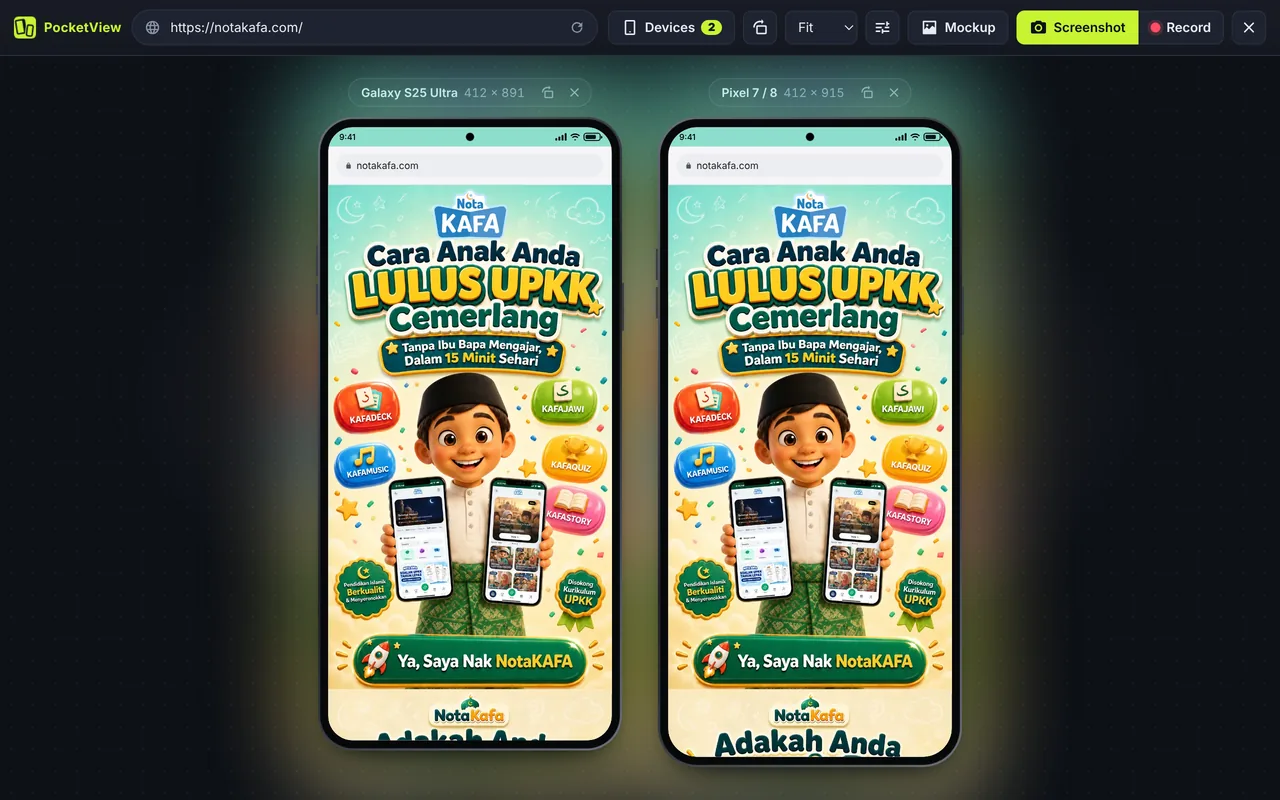
Android Studio’s emulator boots a whole phone, takes gigabytes of disk and a few minutes to start. For checking how a website looks, you do not need any of that. PocketView shows your site at each Android phone’s exact viewport, with its pixel ratio and the Chrome for Android user agent, in a second.
Android models and viewport sizes
| Device | CSS viewport | Pixel ratio | Screen pixels |
|---|---|---|---|
| Galaxy S25 Ultra | 412 × 891 | 3.5 | 1442 × 3119 |
| Galaxy S24 / S25 | 360 × 780 | 3 | 1080 × 2340 |
| Galaxy S20 Ultra | 412 × 915 | 3.5 | 1442 × 3203 |
| Galaxy A51 / A71 | 412 × 914 | 2.6 | 1071 × 2376 |
| Galaxy Z Fold5 (folded) | 344 × 882 | 3 | 1032 × 2646 |
| Pixel 7 / 8 | 412 × 915 | 2.6 | 1071 × 2379 |
| Android Large | 412 × 915 | 2.6 | 1071 × 2379 |
| Android Standard | 393 × 873 | 2.75 | 1081 × 2401 |
| Android Compact | 360 × 800 | 2 | 720 × 1600 |
The generic Android Compact, Standard and Large sizes cover the three widths most Android phones share. Galaxy Z Fold8, Z Fold8 Ultra, Z Flip8 and Xiaomi 18 Fold are on the foldable simulator page.
Chrome for Android bars and the Android user agent
- Frames: punch-hole cameras, thin bezels and rounded corners that match each model.
- Status bar and Chrome bar: see how much of the first screen is left for your content.
- User agent: Chrome for Android, sent in the HTTP header, in JavaScript and in User-Agent Client Hints (
Sec-CH-UA-Mobile: ?1), so sites that check any of these send their mobile version.
When you need Android Studio instead
Use the Android emulator or a real phone when you are testing a native or hybrid app, Android-specific APIs (intents, notifications, file pickers), or performance on low-end hardware. For layout and responsive design, a simulator is faster and shows several phones at once.
Questions
Is there an Android emulator Chrome extension?
Extensions cannot run Android itself. What they can do is show websites at Android sizes with the Android user agent, which is what PocketView does. To run Android apps, use Android Studio’s emulator.
Does PocketView run Android apps?
No. PocketView is for websites and web apps, including PWAs. It shows them the way Chrome for Android would lay them out.
What is the most common Android viewport width?
360 px and 412 px are the two most common widths on Android phones. Test both, plus 393 px for many recent mid-range phones.
Also see the iPhone simulator and the full viewport sizes table.